


You need antivirus software. AI is making online threats more convincing and more frequent, and even careful users can still end up facing malware, spyware, ransomware, or phishing scams. This guide compares the best Windows antivirus suites and explains when Windows Security is enough, and when a paid suite is worth it for extras like privacy tools, parental controls, or identity protection.
Before choosing, it helps to understand how these products differ. Norton is the best all-around value, Avast is especially easy to use, AVG is a strong budget pick, Avira Prime is a good fit for beginners, McAfee is a better choice for privacy-focused users, and Panda stands out for its large feature set. Windows Security also offers solid protection at no extra cost.
Best antivirus of 2026 reviewed and ranked
Norton 360 Deluxe – Best antivirus for PC overall
Pros
- Strong antivirus protection
- Wide protection against major online threats
- Simple, straightforward features
Cons
- Performance impact on some PCs
- User interface would benefit from consolidation
- Upselling of additional services
Who should buy Norton 360 Deluxe?
Norton 360 Deluxe is a strong all-in-one security suite that combines the most important protections into one package, including parental controls. It is a good choice for people who want a simpler way to manage online security without having to piece together multiple tools.
It includes solid antivirus protection with relatively light system impact for most users, along with malicious link and attachment screening, dark web monitoring, privacy alerts, webcam protection, 50GB of cloud backup storage, a password manager, a VPN, parental controls, and PC utilities that can check for outdated software. The extra tools are easy to use and feel accessible rather than overly technical.
Further considerations
Norton has refreshed its interface as part of a broader effort to bring its security tools together in one place. It also started emphasizing scam protection this year. Pricing remains competitive at $50 for the first year on five devices, then $120 per year after that.
Avast One – Best antivirus overall runner-up
Pros
- Good new design
- Well priced
- Excellent performance
Cons
- Smart scan requires too much user intervention
- Avast asks to install Google Chrome
Who should buy Avast One?
Avast One is a strong choice for users who want an easy setup and a clean interface. It combines solid security with useful extras and support for multiple devices.
Its features include protection against malicious websites, webcam attacks, trackers, dark web exposure, and password risks. It also includes a VPN with unlimited bandwidth, tools for updating drivers, and utilities for PC cleanup and optimization. The default settings are simple to manage, but more advanced users can still dig deeper if they want.
Further considerations
Unlike Norton 360 Deluxe, Avast One does not include a password manager or parental controls, which helps keep the price lower. The 1-device plan costs $38.99 per year for the first year, then $77.99 afterward. A 10-device plan is $49.99 for the first year, then $99.99 afterward.
AVG Internet Security – Best budget antivirus suite
Pros
- Top-rated antivirus protection
- Expanded protection against malicious websites and remote attacks
- Clean, straightforward interface
Cons
- Some PCs may experience a performance hit during heavier workloads
- Several features are a bit rudimentary
Who should buy AVG Internet Security?
AVG is best known for its free antivirus software, but the paid version adds broader protection and easier management. That makes it a good upgrade if you want more control without a complicated interface.
Internet Security builds on AVG’s core malware protection with coverage for web, email, and network threats. It also protects browser-saved passwords, blocks webcam takeovers, helps stop unauthorized access to sensitive files, guards against DNS hijacking, and includes protection from Windows Remote Desktop attacks. Dark web monitoring is included as well. Background protection is light on resources, though full scans can slow down budget or older systems.
Further considerations
AVG Internet Security costs $60 for the first year on 10 devices, then rises to $100 per year. It is fairly priced, but it does not match Norton’s value because it lacks features like parental controls, a VPN, and a password manager.
Avira Prime – Best antivirus for beginners
Pros
- Strong security with a reasonable subscription price
- Well designed and user-friendly
- Offers a host of features in the areas of security, privacy, and performance
Cons
- No subscription option for fewer than five devices
- Simplicity of app feels slightly at odds with the depth of the PC tools
Who should buy Avira Prime?
Avira Prime is a strong fit for users who want a simple interface without losing access to deeper PC tools. It combines solid antivirus protection with a password manager, unlimited VPN, and a broad set of utilities for performance and maintenance.
Those tools can update apps, securely delete files, and back up data. The suite is especially useful for people who want a more guided way to manage their computer while still getting broad protection.
Further considerations
One major omission is parental controls. Avira Prime also can put more strain on older or budget systems during full scans, especially after heavy file changes. In normal background use, though, its performance impact is usually low. Pricing starts at $60 for the first year and then $105 per year after that.
McAfee Total Protection – Best antivirus for privacy
Pros
- Good protection
- Nice features like file shredder and home network analyzer
Cons
- Mixed impact on performance
- New app design is a little scattered
Who should buy McAfee Total Protection?
McAfee Total Protection is a good option for people who care about identity protection as much as malware defense. It brings security, privacy, and account monitoring into one place, which can be useful if you do not want to manage separate services.
The suite covers current PC threats and also addresses identity risks, phishing, and privacy issues. Its identity protection features include dark web scanning for personal data such as email addresses, phone numbers, Social Security numbers, passports, driver’s licenses, dates of birth, tax IDs, credit card numbers, and usernames. VPN access is included as well.
Further considerations
McAfee can affect performance on mid-range and budget PCs during scans, so it is best to schedule them for off-hours when possible. The version we looked at is available through third-party sellers and can be very affordable, with one option costing just $19 per year for up to 10 devices.
Panda Dome Complete – Most feature-rich antivirus
Pros
- Very easy-to-understand mobile-like interface
- Contains some basic smart home network monitoring
- Month-to-month pricing option
Cons
- Good performance results but currently limited in third-party testing
Who should buy Panda Dome Complete?
Panda Dome Complete stands out for its unusually large set of tools. It also has one of the most visually distinctive interfaces, while still keeping the main controls easy to access.
The suite includes a virtual keyboard, advanced virus removal, a Windows app update manager, a disk defragmenter, a hard drive cleaner, and a startup app manager. It also adds Wi-Fi monitoring, a password manager, parental controls, and a VPN with 150MB of daily bandwidth. In testing, Panda had very little impact on system performance.
Further considerations
Panda is one of the more expensive options because of how much it includes. A one-device subscription costs $54 for the first year and $90 per year afterward. Three-device and five-device plans are only slightly more expensive.
Windows Security (Microsoft Defender) – Best free antivirus for Windows
Pros
- Built into Windows 10 and 11
- Settings are easy to review and customize
- Integrates with other security aspects of Windows
Cons
- Tends toward false positives, especially with SmartScreen
- Lacks the advanced features found in third-party products
Who should choose Windows Security?
Windows Security is a strong free option for most people using Windows. It includes Defender for malware scanning, Firewall for network filtering, ransomware protection with controlled folder access and OneDrive recovery, app restrictions, and basic parental controls.
The core protections are enabled automatically on Windows, so real-time scanning and network protection are already active. Some features, like folder protection and file recovery, still need to be turned on manually. While paid suites add more extras, Windows Security offers solid baseline protection without any added cost.
Further considerations
To get the most out of Windows Security, some setup is still required. You may also want to add separate services for features such as VPN, password management, privacy tools, and encrypted cloud backup.
Other antivirus software tested
- Surfshark One: Includes decent antivirus protection in a clean interface, but better antivirus-focused options offer more value and lighter system impact.
- McAfee Ultimate: A broad all-in-one package with strong protection, but the apps and tools need more polish and scans can slow down mid-range and budget PCs.
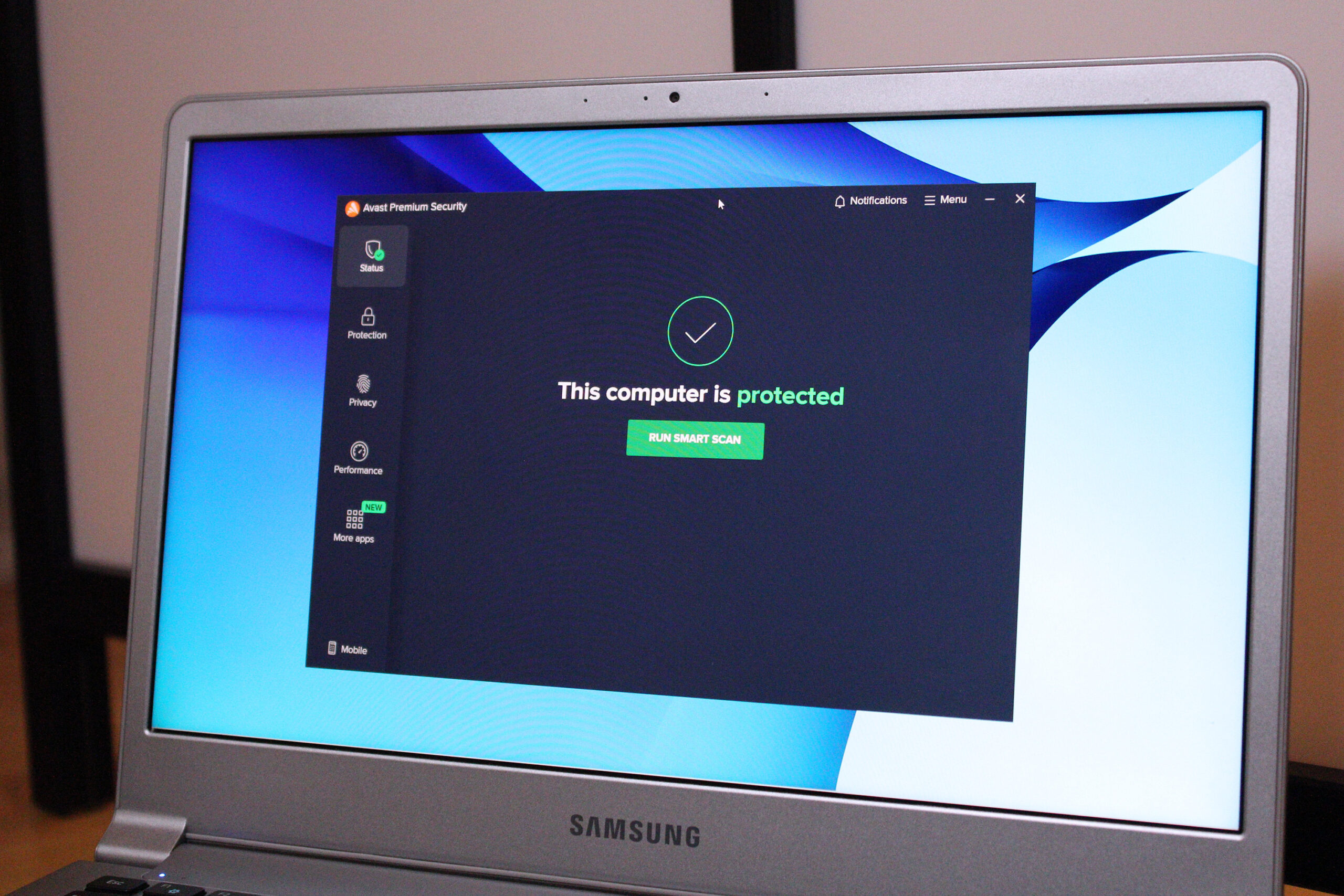
- Avast Premium Security: Strong protection, but a few buggy features keep it from standing out.
- Bitdefender Total Security: Very strong malware defense in an easy-to-use app, but it lacks some features found in similarly priced suites.
- Malwarebytes Premium Security: Simple and approachable, though not the best value.
- Norton Antivirus Plus: Affordable and feature-rich for a single device, but it can have performance and usability quirks.
- Trend Micro Maximum Security: Beginner-friendly, but weaker on features and value compared with rivals.
How we test antivirus software
Antivirus testing should cover more than malware detection alone. We also look at how easy the software is to use, how clearly it presents important tools, and whether the alerts are useful and understandable.
We check the feature set carefully, including real-time protection, deep scans, firewalls, password managers, VPNs, and other bundled tools. The goal is to judge whether the extras are genuinely useful or just marketing filler.
To measure system impact, we run performance benchmarks before installing the antivirus, after installing it, and again while running full scans. We compare the results to see how much the software affects everyday PC tasks.
For detection quality, we rely on the work of dedicated security labs. We also evaluate price, subscription value, and what each plan includes. Most testing is done with free trials so the results reflect what real users are likely to experience.
How to choose the best antivirus software
When choosing antivirus software, focus first on the essentials: strong malware detection, low system impact, and a clear interface. If a product misses those basics, it is not doing the job properly.
After that, the right choice depends on what else you need. Many modern security suites now include backups, mobile apps, firewall features, parental controls, multi-device support, VPN access, and password managers. Whether those extras matter comes down to your budget and how you use your devices.
If you want more than the basics, look for a suite with a firewall, support for all the devices you own, and access to a password manager and VPN if you do not already use separate services.
FAQ
What is the best antivirus software?
Norton 360 Deluxe is our top pick. It combines strong protection, a simple interface, and a wide set of useful features, including parental controls, cloud backup storage, a password manager, a VPN, and PC utilities.
What is the best free antivirus software?
Windows Security is the best free choice for Windows users. It is already installed on most Windows PCs and covers the core security needs, including ransomware protection and basic parental controls.
Is antivirus necessary in 2026?
Yes. Online threats continue to become more common and more advanced, so antivirus software is still important for staying protected.
Is Windows 10/11’s built-in Microsoft Defender enough, or should you pay for more?
Windows Security is good, but top third-party antivirus products often detect threats more reliably and offer better control, clearer interfaces, and stronger extra features. You do not have to use paid antivirus on Windows, but it can improve overall protection.
Will antivirus software slow down my computer?
It can, especially during full scans, but the impact is usually limited. Scheduling scans for off-hours or more frequent shorter scans can help reduce disruption. In many cases, other issues such as background apps, low RAM, or malware itself cause bigger slowdowns.
Should you pay for antivirus?
That depends on what you need. If you only want malware scanning and removal, free antivirus may be enough. If you want extras like webcam protection, sandboxing, and secure file deletion, a paid suite is worth considering.
How many antivirus programs are recommended for one computer?
Usually just one. Modern antivirus suites are designed to replace Windows’ built-in protection, and running multiple security apps at once can cause conflicts.
What should I do if my antivirus detects a threat?
In most cases, the software will warn you and quarantine the file to prevent it from spreading. After that, you can usually remove the infection or delete the file completely.
What is the difference between a full scan and a quick scan?
A full scan checks the entire system, including memory, startup items, drives, and removable storage. A quick scan checks only the most likely infection points, such as memory and boot sectors. A full scan is best done weekly, while a quick scan is useful when you suspect a problem.
Do I need to update my antivirus software?
Yes. Keeping antivirus software updated is important for staying protected against the latest threats. Most products update automatically, but it is still worth checking occasionally.
What features should my antivirus software have?
At a minimum, look for malware scanning, phishing protection, and a firewall. Extra features like remote access protection, file encryption, and a password manager can also be useful depending on your needs.
